Skip to content

Product page SEO helps search engines understand individual products and helps shoppers find exactly what they want at the moment they’re ready to buy. When done correctly, SEO for ecommerce product pages improves rankings, click-through rates, and conversions across your catalog.
This guide explains what product page SEO is, what functions matter most, and how to build a repeatable product SEO strategy.
What Is Ecommerce Product Page SEO?

Product page SEO is the process of optimizing individual product pages so search engines can clearly interpret the product, its attributes, and its value to shoppers. This includes optimizing titles, descriptions, images, URLs, structured data, and internal linking.
Unlike category pages, which target broader discovery queries, product pages focus on specific, high-intent searches. These searches often include exact product names, models, materials, sizes, or variants. Strong ecommerce product SEO ensures your product appears when buyers are actively comparing or ready to purchase.
Well-optimized product pages improve search visibility while also increasing trust and clarity for users.
Why Product Page SEO Matters for Ecommerce
Product pages are often the final step before a purchase. If these pages don’t rank, load slowly, or fail to communicate value clearly, organic traffic rarely converts.
Good product page SEO:
- captures high-intent search traffic
- improves click-through from search results
- increases on-page engagement and conversion rates
- scales organic revenue across large catalogs
When combined with fast performance and clear UX, ecommerce product SEO becomes one of the most reliable growth channels for online stores.
How Search Engines Evaluate Product Pages
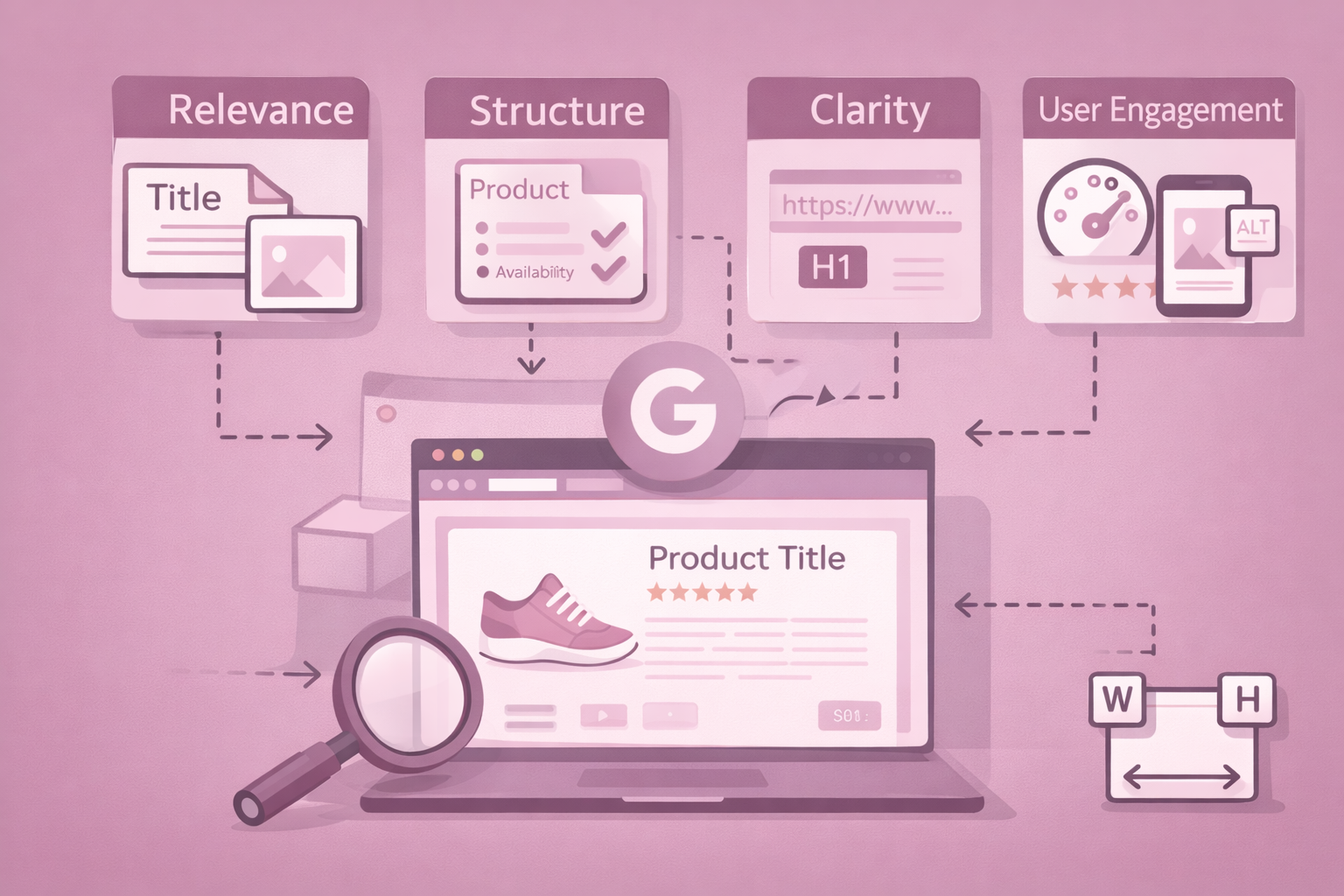
Search engines evaluate ecommerce product pages by analyzing both content relevance and user experience signals.
Key evaluation factors include:
- product title and H1 clarity
- descriptive product content
- image quality and ALT text
- structured data (price, availability, reviews)
- URL structure
- internal linking and breadcrumbs
- mobile usability and load speed
Product pages that clearly explain what they sell, load quickly, and match search intent are more likely to rank consistently in competitive SERPs.
The Most Important Ecommerce Product Page SEO Functions
Each product page should target one primary keyword that reflects how shoppers search for that exact item. Supporting modifiers such as size, material, or model help refine relevance without overlapping other product pages.
Content clarity and product descriptions
Product descriptions explain what the item is, who it’s for, and how it’s used. Clear descriptions improve rankings, engagement, and buyer confidence while reducing returns and confusion.
Media optimization
High-quality images, optimized filenames, and descriptive ALT text help search engines understand visual attributes and improve visibility in image search while supporting conversions.
Structured data and metadata
Product schema, meta titles, and meta descriptions help search engines display accurate information such as pricing, reviews, and availability, increasing click-through from search results.
Internal linking and navigation
Breadcrumbs, category links, and related products help search engines understand catalog structure and help users move through your store more easily.
Performance and mobile experience
Fast load times, stable layouts, and mobile-first design directly affect rankings and conversions. Performance is a core SEO function, not a technical afterthought.
How to Create an Ecommerce Product Page SEO Strategy
Product page SEO doesn’t work in isolation. Optimizing a few titles or adding schema won’t produce consistent results unless those actions are part of a structured strategy. A strong ecommerce product SEO strategy defines what to optimize, in what order, and why, so every product page contributes to long-term organic growth instead of competing with the rest of your catalog.
Before diving into execution, it’s important to understand the core components that make product page SEO work at scale. The sections below break product SEO into clear, repeatable steps.
What this strategy covers
Below, you’ll learn how to:
- choose the right keywords for your products
- structure product and category pages correctly
- optimize on-page elements like titles, descriptions, and images
- align content with search intent
- avoid common technical and structural issues
- scale SEO across large ecommerce catalogs
Each step builds on the previous one, creating a system you can apply to any store size or platform.
1. Choose the Right Keywords for Your Products
Keyword research is the foundation of product page SEO. Without clear keyword targeting, even well-written product pages struggle to rank because search engines can’t confidently match them to user intent.
For product pages, keyword selection should focus on commercial and transactional intent. These queries often include product names, models, materials, sizes, colors, or specific use cases. Tools like Ahrefs, Semrush, and Google Search Console help identify how shoppers search for individual products and variations.
When evaluating keywords, focus on three factors:
- Relevance: The keyword must precisely match the product being sold.
- Search volume: Enough demand to justify optimization, even if volume is modest.
- Competition: Realistic difficulty based on your domain strength and SERP landscape.
Avoid assigning the same primary keyword to multiple product pages. Each product should target one clear primary term, supported by close variations. This prevents cannibalization and helps search engines understand the difference between similar items in your catalog.
2. Understand Product Pages vs Category Pages in SEO
One of the most common ecommerce SEO mistakes is blurring the roles of product pages and category pages. Each serves a different purpose and targets a different type of search intent.
Category pages target broader discovery searches, such as “running shoes” or “office chairs.” These pages help users browse and compare multiple products and are usually optimized for higher-volume keywords.
Product pages, on the other hand, target specific, high-intent searches like exact product names, models, or attribute combinations. These pages are evaluated on clarity, accuracy, and completeness rather than breadth.
Your SEO strategy should clearly define:
- category pages as discovery and comparison hubs
- product pages as decision and conversion pages
This separation ensures your product pages don’t compete with category pages and that each page type supports the buyer journey properly.
3. Optimize Core On-Page Elements for Product Pages
Once keywords and page roles are defined, on-page optimization ensures search engines and users can clearly interpret each product.
Product titles should describe the item exactly as shoppers search for it, including key modifiers like brand, size, or material. Avoid marketing language that dilutes relevance. Titles should be consistent across the H1, product name, and meta title (with minor adjustments for SERP display).
Product descriptions should explain:
- what the product is
- who it’s for
- how it’s used
- what makes it different
Aim for clarity and structure over length. Use short paragraphs, bullet points, and natural language. Avoid manufacturer copy or generic filler content, which provides little ranking value.
Meta titles and descriptions should reinforce relevance and encourage clicks. While they don’t directly control rankings, they strongly influence click-through rate, which affects overall SEO performance.
4. Build Content That Supports Search Intent
Content on product pages isn’t just for rankings, it helps users make confident buying decisions. Search engines increasingly evaluate how well content satisfies intent, not just whether keywords are present.
High-performing product pages include:
- clear feature and benefit explanations
- specifications and dimensions where relevant
- compatibility or usage guidance
- care, warranty, or material details
Adding a short FAQ section can further support long-tail queries and reduce buyer friction. These FAQs often address concerns users search for after viewing a product, such as sizing, durability, or shipping details.
This type of content improves dwell time, reduces bounce rate, and signals quality to search engines.
5. Optimize Images, Alt Text, and Visual Assets
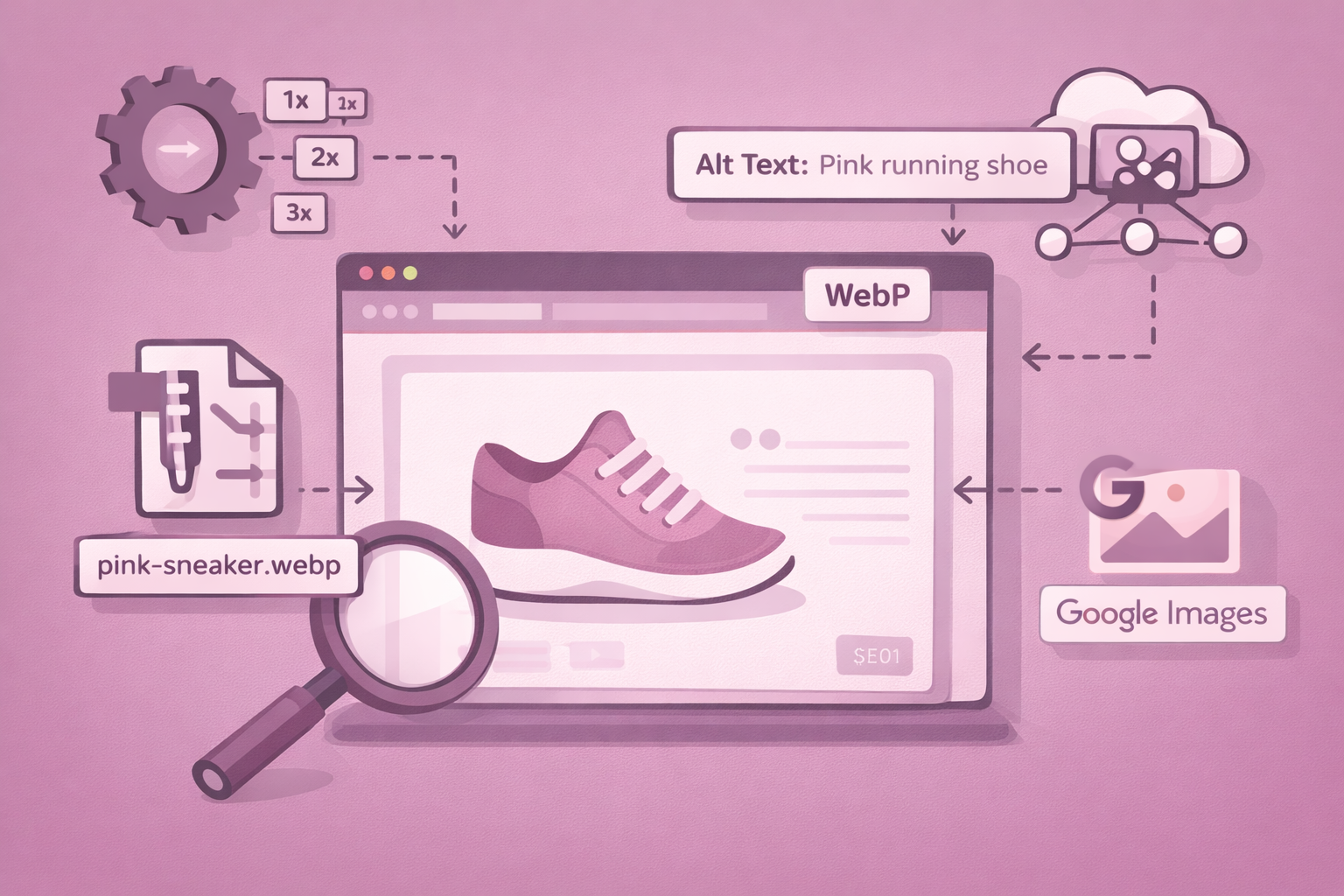
Images are critical for ecommerce, but they’re also an important SEO signal. Search engines use image context, filenames, and alt text to understand visual content.
Each product image should:
- be compressed for fast loading
- use descriptive filenames
- include accurate ALT text describing the product or variant
ALT text should be functional, not promotional. It helps with accessibility and improves visibility in image search, especially for products with strong visual attributes like color or texture.
Avoid uploading oversized images or relying entirely on platform compression. Pre-upload optimization still plays a major role in performance.
6. Use Structured Data to Clarify Product Information
Structured data helps search engines understand key product attributes without guessing. Product schema allows you to explicitly define price, availability, brand, SKU, and reviews.
When implemented correctly, structured data can enable rich results such as star ratings or price snippets, which significantly improve click-through rate.
Most ecommerce platforms support basic product schema, but it’s important to validate implementation using tools like Google’s Rich Results Test and address errors consistently across templates.
7. Strengthen Internal Linking and Crawl Paths
Internal linking connects product pages to the rest of your store and helps search engines understand hierarchy and relationships.
Use:
- breadcrumbs to show category structure
- links from category pages to products
- links between related or complementary products
Strong internal linking improves crawl efficiency, distributes authority, and encourages deeper user exploration—benefiting both SEO and conversion performance.
8. Monitor Performance and Iterate
SEO is not a one-time setup. Use Google Search Console and analytics tools to track impressions, rankings, click-through rates, and conversions at the product level.
Look for:
- products with high impressions but low CTR
- pages ranking on page two that need optimization
- content gaps compared to competing listings
Iterating based on real performance data ensures your product SEO strategy improves over time instead of stagnating.
💡 Avoiding these mistakes keeps your product SEO strategy scalable and sustainable:
- treating all product pages the same regardless of intent
- targeting category-level keywords on product pages
- duplicating descriptions across variants
- ignoring image optimization
- relying solely on platform defaults
Shopify Product Page SEO Tips
Product page SEO on Shopify is influenced by the platform’s structure and default settings. Shopify simplifies many technical aspects, making it easier to maintain consistency but also requiring you to optimize in line with the platform’s defaults. Here are key areas to focus on:
- Product Titles and Handles
- Shopify uses the product title as the H1 tag by default, so clarity in naming is essential.
- Titles should follow a consistent structure across your catalog to help search engines distinguish products while recognizing shared attributes in collections.
- Avoid frequent title changes or adding promotional language, as this can weaken relevance rather than improve it.
- Metafields
- Metafields are essential for scalable SEO, allowing you to add structured product information (e.g., materials, dimensions, compatibility) without bloating the main description.
- By keeping pages readable for users, metafields provide additional context for search engines and help create richer schema output.
- Consistent use of metafields also leads to cleaner templates, especially in larger catalogs.
- Structured Data
- Most modern Shopify themes include product structured data, but the quality of implementation may vary.
- It’s crucial to validate your schema using tools like Google Rich Results Test to ensure that pricing, availability, and reviews are interpreted correctly.
- Small errors or missing fields in schema can prevent rich results from appearing, even if schema is present.
- Image Optimization
- While Shopify serves images via its CDN, pre-upload optimization remains important.
- Resize, compress, and name images correctly before uploading to improve performance and ensure consistency.
- ALT text should be written for every image, including variant images, as Shopify does not automatically generate descriptive ALT attributes.
In summary, a well-optimized Shopify product page combines:
- Clear product titles
- Structured metafields
- Validated schema
- Proper image handling
These elements help improve product-level relevance without requiring complex custom development.
WooCommerce Product Page SEO Tips
WooCommerce offers more control over product SEO, but that flexibility requires clear guidelines to avoid inconsistency across products. Here are the key areas to focus on:
- Product Titles and SEO Titles
- WooCommerce separates the visible product title from the SEO title, allowing you to optimize for search engine results without affecting on-page headings.
- SEO plugins like RankMath or Yoast make it possible to test and refine SEO titles for better click-through rates, while keeping product names clean and accurate on the page.
- Product Attributes
- Product attributes in WooCommerce are more prominent than in Shopify. When structured correctly, they:
- Help organize product information.
- Support filtering options.
- Enrich structured data automatically for better search engine understanding.
- Well-optimized attributes are beneficial not only for users but also for search engines when understanding product variants and specifications.
- Product attributes in WooCommerce are more prominent than in Shopify. When structured correctly, they:
- Image Management
- WooCommerce uses the WordPress Media Library for image management, making it easier to reuse ALT text, captions, and titles consistently across product templates.
- Proper image handling improves accessibility and reduces duplication, especially for stores with many similar products or shared visuals.
- URL Structures, Canonicals, and Schema
- WooCommerce offers full control over URL structures, canonical handling, and schema plugins, giving you flexibility to optimize your pages.
- However, this flexibility can lead to inconsistency if not managed properly.
- Establishing clear SEO standards for URLs, attributes, and metadata early on is crucial for scaling product SEO without creating technical debt.
In summary, a well-optimized WooCommerce product page includes:
- Clear product and SEO titles
- Well-structured product attributes
- Consistent image management
- Controlled URL structures, canonical tags, and schema
These elements ensure SEO consistency and help avoid technical issues as you scale.
Shopify vs WooCommerce: Product Page SEO Comparison
| SEO area | Shopify | WooCommerce |
| Product titles | Product title auto-renders as H1; clarity at naming level is critical | Product title (H1) and SEO title can be optimized separately |
| Meta titles & descriptions | Controlled via SEO apps or theme fields | Fully controlled via SEO plugins (RankMath, Yoast, etc.) |
| Structured data | Theme-generated product schema by default | Plugin-driven schema with granular customization |
| Metafields / attributes | Metafields used for structured specs and scalable content | Attributes used for specs, filters, and schema enrichment |
| URL control | Limited; URLs follow Shopify’s enforced structure | Full control over product URLs and slugs |
| Image handling | Served via Shopify CDN; pre-upload optimization still required | Managed via WordPress Media Library |
| ALT text management | Must be manually added per image and variant | Centralized via media library; reused automatically |
| Variant handling | Variants share one product URL | Variants can share or split URLs depending on setup |
| Performance optimization | Theme and app management critical | Plugin and hosting stack heavily influence speed |
| SEO risk profile | Lower risk, fewer controls | Higher flexibility, higher risk of inconsistency |
Technical SEO for Product Pages
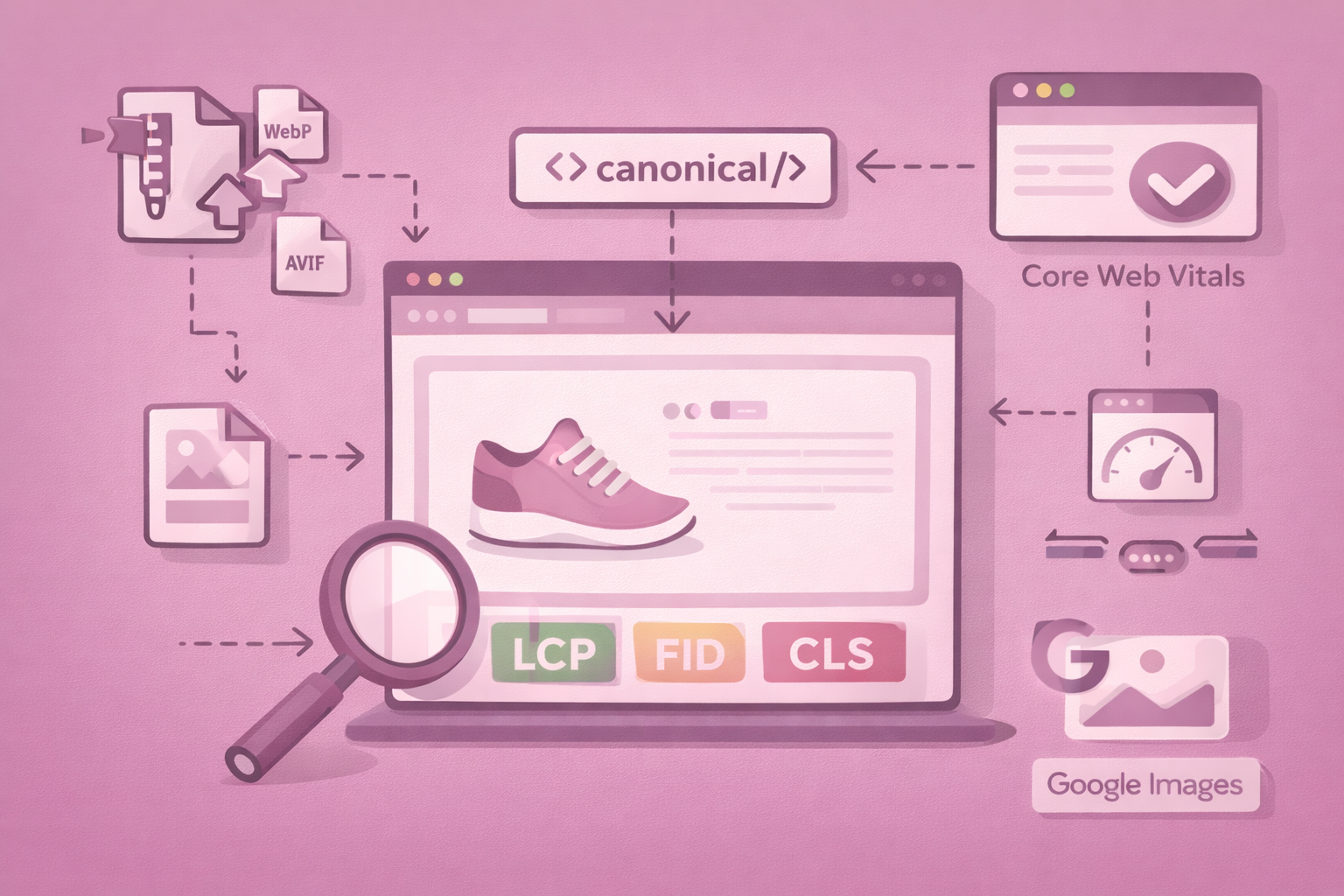
Technical performance is a baseline requirement for product page SEO. Even well-written pages struggle to rank or convert if they load slowly or behave unpredictably across devices.
Product pages should load quickly, especially on mobile. Image and video assets should use lazy loading, modern formats like WebP or AVIF, and predictable layout dimensions to prevent cumulative layout shift. Heavy JavaScript, particularly from third-party apps, should be minimized or deferred wherever possible.
Canonical handling is especially important for product pages with variants. When multiple URLs represent the same core product (for example, color or size variations), canonical tags help search engines identify the preferred version and prevent dilution of ranking signals.
Regular monitoring of performance metrics such as Core Web Vitals across product templates helps identify systemic issues early. Technical SEO at the template level often has a greater impact than fixing individual product pages one by one.
Common Product Page SEO Mistakes
Many ecommerce SEO issues come from repetition, automation, or over-reliance on defaults.
Duplicate or manufacturer-supplied descriptions reduce differentiation and make it harder for search engines to assess originality. Thin content that fails to explain value or usage weakens both rankings and buyer confidence.
Missing or broken structured data prevents rich results from appearing, even when products are eligible. Poor image quality, missing ALT text, or oversized files harm both accessibility and performance. Overly long or unclear product titles reduce relevance and click-through, while weak mobile layouts increase bounce rates.
Unoptimized URLs and missing internal links isolate product pages from the rest of the catalog, reducing crawl efficiency and authority flow. Addressing these issues often leads to immediate improvements in visibility and conversion performance.
Conclusion
Product page SEO is the foundation of ecommerce growth. When your titles, descriptions, images, structured data, and UX work together, every product becomes easier to find, easier to understand, and easier to buy. By applying strong SEO for ecommerce product pages, you improve visibility, speed, and conversions across your entire catalog.
Cartiful helps ecommerce brands build product pages that rank higher, load faster, and communicate value clearly, so more of your organic traffic turns into revenue.
Frequently Asked Questions
What is SEO for ecommerce product pages?
It’s the practice of optimizing product titles, descriptions, images, metadata, structured data, and internal structure so search engines understand your product and rank it for relevant queries.
How do I optimize a product page for SEO?
Use descriptive titles, write clear product descriptions, optimize images and ALT text, add structured data, improve page speed, use clean URLs, and include internal links and FAQs.
What makes a product page rank well?
Strong relevance signals, high-quality descriptions, fast loading speed, structured data, optimized media, mobile-friendly layout, and helpful content that answers buyer questions.
How long should a product description be?
Most product pages perform best with 150–300 words that explain features, benefits, materials, and use cases without overwhelming the user.
Why is structured data important for product pages?
It helps search engines understand your product’s details and enables rich results for reviews, pricing, availability, and offers, which increases visibility and clickthrough.
Do Shopify and WooCommerce handle SEO differently?
Yes. Shopify automates several technical aspects but limits URL control, while WooCommerce offers deeper customization through plugins and metadata control.
Does page speed affect product page SEO?
Absolutely. Faster pages improve rankings, reduce bounce rate, and increase conversions. Compressing images and minimizing scripts are essential steps.