Skip to content
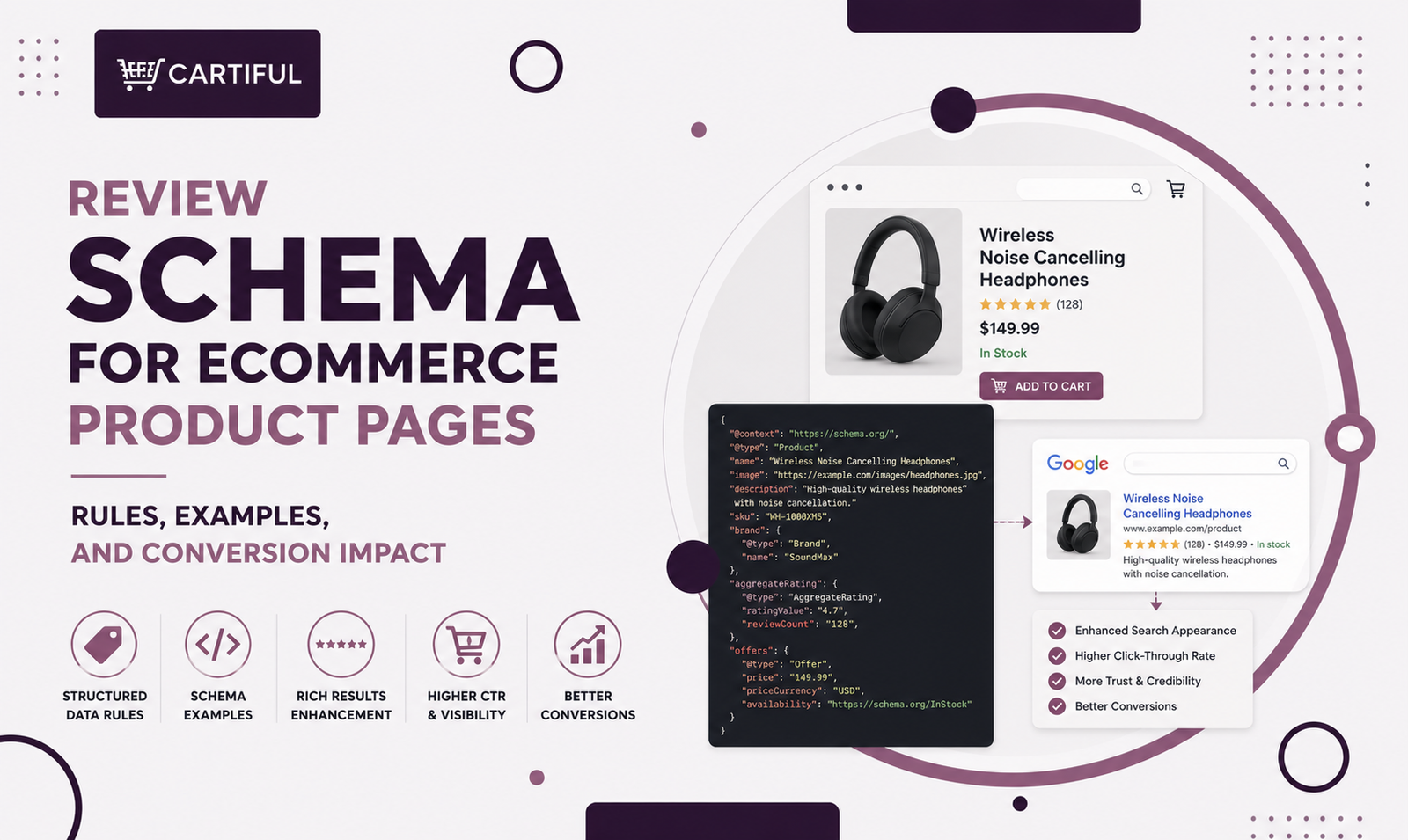
Review schema helps search engines understand the reviews and ratings shown on a product page.
For ecommerce stores, the goal is simple: mark up real product reviews in a way that matches what shoppers can actually see on the page.
When used correctly, review schema can make product pages eligible for richer search appearances that may show ratings, review details, price, stock status, and other product information. Google does not guarantee rich results, but valid structured data gives the page a cleaner product-data layer.
For store owners, review schema is not only a technical SEO task. Reviews also affect trust and buying confidence. Spiegel Research Center found that products with five reviews had a 270% higher purchase likelihood than products with no reviews, while PowerReviews reports that 85% of shoppers are less likely to buy a product if it has no ratings or reviews.
Quick Answer
For most ecommerce product pages, the safest review-schema setup is:
- Use Product as the parent schema type.
- Add AggregateRating only when the page shows a visible average rating.
- Add individual Review objects only when the page shows real review content.
- Keep rating values, review counts, authors, and review text visible on the page.
- Mark up one specific product, not a category, collection, or product list.
- Do not pull ratings from Amazon, Google, marketplaces, or other websites.
- Validate the page with Rich Results Test and monitor Search Console after launch.
What Review Schema Does on Product Pages
Review schema tells search engines that a product page contains rating or review information for a specific item. On ecommerce pages, this review data usually sits inside broader Product markup, next to details such as product name, image, brand, offer, price, availability, and shipping information.
There are two common review-related properties:
- AggregateRating: the overall rating summary for the product.
- Review: one individual review from a customer or reviewer.
For a buyable product page, review data works best when it is nested under Product. Google’s product documentation shows Product markup with review, aggregateRating, and offers together, which is usually the right pattern for ecommerce PDPs.
Why Review Schema Matters Beyond Star Ratings
Many merchants think review schema is only about getting stars in search results. That is too narrow.
Review schema matters because it connects search visibility with product-page trust. It helps search engines understand the rating data on the page, but it also forces the store to keep reviews, ratings, and product information accurate and visible.
For ecommerce stores, the real value comes from three areas:
- Search clarity: Search engines can better understand the product’s rating and review data.
- Pre-click trust: Shoppers may see review signals before they visit the product page.
- On-page confidence: Real reviews help shoppers compare products, check buyer feedback, and feel more comfortable before placing an order.
Review schema works best when the product page already has useful review content. Valid markup can support richer search eligibility, but honest, visible, and recent reviews are what help shoppers trust the product.
Review Schema vs Product Schema
Review schema should not replace Product schema. It should support it.
Think of the structure like this:
- Product tells search engines what the item is.
- Offer tells search engines how the item is sold.
- AggregateRating tells search engines the product’s overall review score.
- Review gives search engines individual review details when those reviews are visible.
For most ecommerce product pages, the base setup should include Product and Offer markup first. Review markup should be added only when the page has visible ratings or reviews. For stores using Shopify, WooCommerce, or custom ecommerce builds, this is usually handled through a theme, app, plugin, or custom JSON-LD template.
It is important to check schema alongside crawlability, indexation, product templates, canonicals, and Search Console reporting for technical SEO health.
Google’s Main Rules for Review Schema on Ecommerce Pages
Google’s review markup rules are direct: the markup must describe what users can see on the page. The safest approach is to keep the product, rating, review count, and review text aligned across the page, schema, and any product feed.
1. Mark up one specific product
Review information should describe one specific item, not a category page, brand page, collection page, or list of products. On ecommerce sites, that usually means the review schema belongs on product detail pages.
2. Keep review content visible
Do not mark up hidden ratings or invisible reviews. If the schema includes an average rating, shoppers should see that rating on the product page. If the schema includes individual reviews, shoppers should see those reviews on the page too.
3. Do not use ratings from other websites
A product page should not mark up Amazon reviews, marketplace reviews, Google reviews, or third-party ratings from another website as if they belong natively to that product page.
Google’s review snippet rules say not to aggregate ratings or reviews from other websites.
4. Use product reviews on product pages
Google supports Product as a valid type for review snippets.
The self-serving review restriction is mainly relevant to LocalBusiness and Organization markup, not normal first-party product reviews shown on a product detail page.
5. Do not treat validation as a guarantee
Passing a test does not mean Google will show stars. Structured data makes a page eligible for certain rich result features, but Google may still choose not to show them. Google’s merchant listing guidance also recommends validating, inspecting live URLs, and monitoring Search Console after rollout.
Review vs AggregateRating: What to Use
Use AggregateRating when the product page shows an overall rating
Use this when the PDP shows a rating summary such as:
- 4.6 out of 5
- 128 reviews
- 92% recommended
- Average product rating near the product title or review section
For Google review snippets, AggregateRating should include a rating value and at least one count property, such as reviewCount or ratingCount. Decimal ratings should use a dot, such as 4.6.
Use Review when the product page shows individual review text
Use this when the page shows customer reviews with names, ratings, and review copy. The reviewer’s name should be a real name or a valid team/entity name, not promotional text. Google’s product snippet guidance warns against using promo copy as a reviewer name.
Use both when the page shows both
Many strong PDPs show both an average rating and individual reviews. In that case, use:
- Product
- nested AggregateRating
- nested Review
- nested Offer
If you mark up multiple individual reviews, Google recommends including an aggregate rating of those reviews as well.
How to Add Review Schema to Ecommerce Product Pages
Step 1: Check the visible product page first
Before touching the code, confirm that the page shows:
- Product name
- Product image
- Price
- Availability
- Average rating, if using AggregateRating
- Review count, if using reviewCount or ratingCount
- Review text, if using individual Review objects
- A clear match between the reviews and the exact product
If the page has no reviews yet, do not fake review schema. Build the review collection process first.
Step 2: Add review data inside Product markup
For ecommerce PDPs, the cleanest structure is usually one JSON-LD Product object that contains the review and rating properties. This keeps the schema easier to read and reduces the risk of disconnected markup.
Step 3: Keep schema synced with the product template
Review schema often breaks when stores use apps, custom templates, variant logic, or product feeds that update separately. Make sure:
- The visible rating matches ratingValue.
- The visible review count matches reviewCount or ratingCount.
- Variant pages do not show the wrong review data.
- Out-of-stock products do not still show outdated offer data.
- Multi-currency pages use the correct currency in the schema.
This is especially important for Shopify and WooCommerce stores using review apps or multiple plugins.
Step 4: Validate and monitor
After adding review schema, test a few live URLs rather than only testing code snippets.
Use Rich Results Test, URL Inspection, and Search Console reporting. Google’s merchant listing documentation also separates Merchant listings and Product snippets reports because product-result experiences have different requirements
Example 1: Product Page With AggregateRating
Use this when the product page shows a visible average rating and review count.
{
“@context”: “https://schema.org”,
“@type”: “Product”,
“name”: “Women’s Waterproof Hiking Jacket”,
“image”: [
“https://www.example.com/images/jacket-front.jpg”
],
“brand”: {
“@type”: “Brand”,
“name”: “North Ridge”
},
“aggregateRating”: {
“@type”: “AggregateRating”,
“ratingValue”: 4.6,
“reviewCount”: 128
},
“offers”: {
“@type”: “Offer”,
“priceCurrency”: “USD”,
“price”: “129.00”,
“availability”: “https://schema.org/InStock”
}
}
Example 2: Product Page With Individual Reviews and AggregateRating
Use this when the page shows both an average score and visible review text.
{
“@context”: “https://schema.org”,
“@type”: “Product”,
“name”: “Performance Running Shoe”,
“aggregateRating”: {
“@type”: “AggregateRating”,
“ratingValue”: 4.4,
“ratingCount”: 89
},
“review”: [
{
“@type”: “Review”,
“author”: {
“@type”: “Person”,
“name”: “Ayesha Khan”
},
“reviewRating”: {
“@type”: “Rating”,
“ratingValue”: 5
},
“reviewBody”: “Very light, stable on long runs, and the fit was true to size.”
},
{
“@type”: “Review”,
“author”: {
“@type”: “Person”,
“name”: “Bilal Ahmed”
},
“reviewRating”: {
“@type”: “Rating”,
“ratingValue”: 4
},
“reviewBody”: “Great grip and comfort, but I would like one more color option.”
}
]
}
Common Review Schema Mistakes on Ecommerce Sites
These are the review-schema issues that show up most often on ecommerce sites:
- marking up category pages instead of a single product
- using hidden or off-screen reviews in the markup
- marking up third-party ratings from other websites
- keeping the visible rating and schema rating out of sync
- using fake reviewer names or non-name promo text in the author field
- adding review schema to pages blocked by noindex or robots rules
- validating once and never checking Search Console again. Google’s review and general structured-data rules cover all of these points in one form or another.
A more subtle mistake is treating review schema as the whole review strategy.
Review markup can only reflect the review program the store already has. If the product page has no reviews, stale reviews, or low-trust review content, the markup cannot fix that.
Review Schema Checklist for Ecommerce Stores
Page fit
- Is this a single product page?
- Does the page show a visible rating or review section?
- Do the reviews belong to the exact product?
- Are variant-specific reviews handled correctly?
Data accuracy
- Does the visible rating match ratingValue?
- Does the visible review count match reviewCount or ratingCount?
- Are reviewer names valid?
- Are decimals formatted correctly?
Policy checks
- Are the reviews visible on the page?
- Are the ratings collected for this product?
- Are you avoiding off-site ratings from marketplaces or third-party websites?
- Are you using product review markup on a product page, not seller review markup on the wrong page type?
Build checks
- Is review markup nested inside Product?
- Is Offer markup present for buyable products?
- Are price, currency, stock, and rating data synced?
- Is the schema generated from the right product template?
QA checks
- Does the page pass Rich Results Test?
- Does URL Inspection show the rendered content correctly?
- Are Search Console reports stable after launch?
- Are app-generated schema and theme-generated schema avoiding duplication?
How Review Schema Supports AEO and AI Search Visibility
AI-powered search systems rely on clear, structured, and consistent product information. Review schema can help by making product ratings easier to parse, especially when it matches the visible page.
For ecommerce AEO, review schema works best when paired with:
- Clear product names
- Descriptive product copy
- Visible FAQs
- Honest review summaries
- Product comparison content
- Strong internal links
- Accurate Product and Offer markup
The goal is not to stuff more schema into the page. The goal is to make the product easier for search engines, AI systems, and shoppers to understand.
FAQs
1. Can ecommerce product pages use review schema?
Yes. Google supports review snippets for Product, and ecommerce product pages can use review and rating markup when the review content is visible and tied to one specific product.
2. What is the difference between Review and AggregateRating?
Review marks up one individual review. AggregateRating marks up the overall rating summary for the product. Most ecommerce product pages use AggregateRating first, then add individual Review objects only when review text is visible on the page.
3. Do reviews need to be visible on the product page?
Yes. Google says marked-up review content must be readily available to users on the page. If you use AggregateRating, users should be able to see that aggregate rating on the page too.
4. Can I use Amazon, Google, or marketplace reviews in product review schema?
No. Google’s review snippet rules say not to aggregate reviews or ratings from other websites. Ecommerce product pages should use real review data that belongs to that product page.
5. Does review schema guarantee star ratings in Google?
No. Valid structured data can make a page eligible for richer search features, but Google does not guarantee that stars or rich results will appear.
6. Should category pages use review schema?
Usually no. Review schema should describe one specific product, not a category, collection, or list of products. Category pages should focus on strong copy, product grids, internal links, and category-level SEO instead.
7. How many reviews do I need before adding review schema?
Google does not publish a minimum review count for adding valid markup. The practical rule is simple: if the product page shows a real visible rating or review count, the schema can reflect it. From a conversion angle, Spiegel found the first five reviews can create a large lift in purchase likelihood.
8. Does review schema improve rankings?
Review schema is not a direct ranking shortcut. Its main SEO value is clearer product data and eligibility for richer search appearances. The conversion value comes from the reviews themselves: visible, trusted product reviews can help shoppers make faster buying decisions.
9. Should I use JSON-LD or a plugin?
JSON-LD is usually the cleanest format for ecommerce schema. A plugin or app is fine if it outputs valid markup, avoids duplication, and stays synced with the visible product page.
10. What should I monitor after adding review schema?
Monitor Rich Results Test results, URL Inspection, Search Console reports, visible rating changes, product feed alignment, and app-generated schema. Review schema should also be rechecked after theme, plugin, app, and template updates.
Final Takeaway
Review schema works best when it reflects the real product page. Mark up one specific product. Keep ratings and reviews visible. Use first-party product review data. Make sure the schema, product template, and visible page match.
For ecommerce stores, the bigger win is not the code alone. It is the trust system behind it. Real reviews, recent reviews, honest ratings, social proof, and better product-page structure all work together to support more confident buying decisions.
If your product pages have weak reviews, broken schema, poor conversion paths, or inconsistent product data, Cartiful can review the setup and help turn product pages into stronger sales assets.