Skip to content
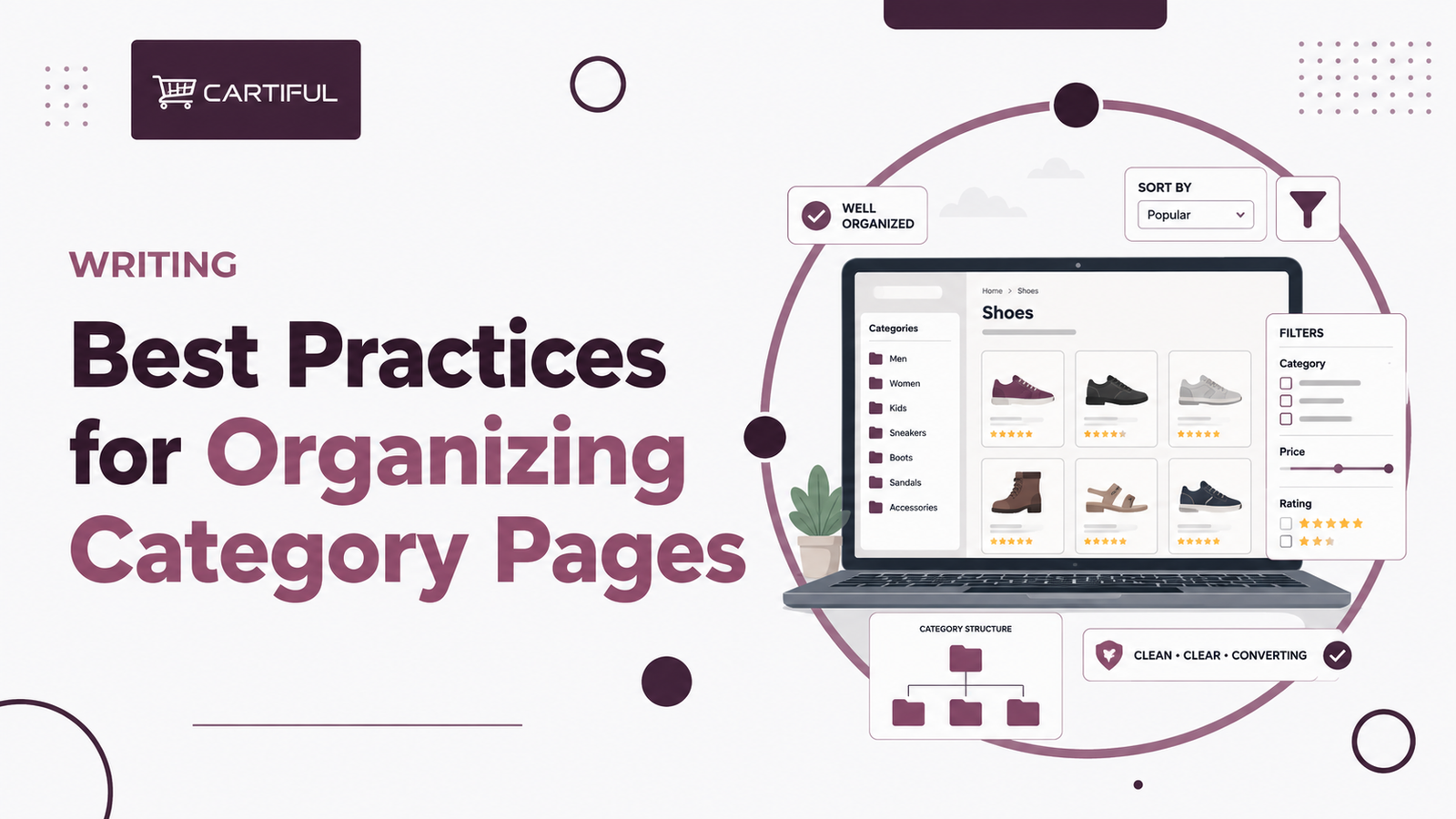
Category pages do a lot of heavy lifting on ecommerce sites. They help shoppers browse the catalog, help Google understand site structure, and often act as the main hub between the homepage and product pages. Google’s ecommerce site-structure guidance explains that Google understands a site by looking at the relationships between pages, which means menus, cross-page links, and category structure shape how the catalog is interpreted. (Google for Developers)
That is why category-page organization is not just a UX task. It is also an SEO task. If categories are messy, overlapping, too thin, or buried under poor navigation, both users and search engines get a weaker map of the store. If they are organized well, the site becomes easier to browse, easier to crawl, and easier to rank. (Google for Developers)
Start With Search Intent, Not Just Inventory
A common mistake is organizing categories only around internal merchandising logic. That may work for inventory management, but it does not always match how people search. A category page should usually represent a real shopping theme, product type, audience, or use case that people would actually look for in search. Google’s site-structure guidance supports this by recommending clear navigation and links that help Google understand which pages are important and how they relate to one another. (Google for Developers)
That usually means category organization should answer questions such as:
- Is this a real search topic?
- Does this category deserve its own page?
- Is it distinct enough from nearby categories?
- Would a shopper understand the difference right away? (Google for Developers)
A useful rule is simple: if two categories target almost the same query and show almost the same products, they probably need to be merged or reworked rather than kept as separate SEO targets. Google’s community guidance around faceted navigation versus filter search also points out that low-value category pages should be removed or merged into stronger parent pages when they add little value. (Google Help)
Keep the Hierarchy Clear
Well-organized category pages usually sit inside a clean structure. Google recommends a navigation path that goes from the homepage to category pages, then to subcategory pages, and then to product pages. It also notes that the number and placement of internal links help Google infer which pages are more important within the site. (Google for Developers)
For most stores, that means keeping the structure simple enough that users do not have to guess where products belong. A strong hierarchy often looks like this:
Home → main category → subcategory → product page (Google for Developers)
If the structure becomes too deep, too repetitive, or too inconsistent, category pages lose some of their value as commercial hubs. If it becomes too flat, users may struggle to narrow down choices and the site may lose topical clarity. The best setup is usually the one that gives each layer a clear job. (Google for Developers)
Do Not Create Too Many Near-Duplicate Categories
Large stores often drift into category bloat. They create several pages that are only slightly different, then expect each one to rank. This usually weakens the structure instead of helping it.
Examples of weak category splits:
- “Women’s Running Shoes”
- “Ladies Running Shoes”
- “Women Running Trainers”
If those pages all serve nearly the same intent, they can confuse the site structure and spread products across overlapping hubs. Google’s URL and site-structure guidance both support keeping page organization clear and purposeful rather than letting multiple weak versions compete. (Google for Developers)
A better approach is to keep one strong category for the main intent, then use subcategories, filters, or supporting content where needed.
Give Each Category Page a Clear Role
A category page should not feel like a random product dump. It should help users understand what type of products they are looking at and why those products belong together. For Google, that clearer grouping also makes the page easier to interpret as part of the site’s structure. (Google for Developers)
In practice, a well-organized category page usually has:
- a clear category name
- a stable URL
- a logical position in the hierarchy
- a visible path back to parent sections
- a curated product grouping that matches the page topic
- internal links to relevant subcategories or related areas when useful (Google for Developers)
This does not mean every category page needs a long block of text at the top. It means the page should make its purpose obvious.
Use Titles and Headings That Match the Category
Google’s title-link documentation says the goal of a title link is to best represent and describe each result. That matters for category pages because vague or repetitive titles make it harder for Google to present the page clearly in search. (Google for Developers)
A good category-page title usually does two things:
- clearly names the product group
- distinguishes the page from similar sections on the site (Google for Developers)
The same applies to headings. A shopper should be able to land on the page and understand immediately what the category covers. That clarity helps both usability and search interpretation.
Keep URLs Stable and Descriptive
Google’s ecommerce URL guidance says well-designed URLs help Google efficiently locate and retrieve pages, while poor URL structures can lead to indexing issues. For category pages, that usually means using clean, readable paths that reflect the hierarchy instead of relying on cluttered parameter strings. (Google for Developers)
For example, a stronger URL would look like:
- /mens/shoes/running/
A weaker setup would look like:
- /collection?id=72&cat=run&type=mens
The cleaner version makes the role of the page easier to understand for both users and crawlers. (Google for Developers)
Use Breadcrumbs to Reinforce Structure
Breadcrumbs are one of the simplest ways to organize category pages more clearly. Google’s breadcrumb documentation says Search uses breadcrumb markup to categorize page information in results, and breadcrumbs also help users move back through the hierarchy. (Google for Developers)
For category pages, breadcrumbs help in two ways. They show the user where they are, and they confirm how the page fits inside the site structure. That is especially useful on stores with many nested categories.
A breadcrumb path might look like:
Home → Men → Shoes → Running Shoes (Google for Developers)
That small element can do a lot of structural work.
Organize Filters Without Letting Them Take Over
Filters are useful for shoppers, but they should not replace category organization. Google’s current faceted-navigation guidance warns that filter combinations can generate a near-infinite number of URLs and create major SEO problems if left unchecked. (Google for Developers)
That means the main category structure should do the heavy lifting first. Filters should help refine the product list, not create hundreds of weak substitute category pages.
A sensible pattern is:
- build real categories for major search themes
- use subcategories where there is distinct demand
- use filters for refinement
- only let a very small number of filter combinations become indexable landing pages when they clearly deserve it (Google for Developers)
If your category logic depends too much on filters, the site often ends up harder to crawl and harder to understand.
Make Product Links Easy to Crawl
Google’s link best-practices page says Google uses links to find new pages to crawl and to understand relevance, and it recommends crawlable anchor links with descriptive anchor text. On category pages, that means product cards and subcategory links should be normal links, not interactions that depend only on scripts or buttons. (Google for Developers)
A category page is organized well only if it also passes users and crawlers cleanly into the next layer of the catalog. If product discovery depends on brittle JavaScript behavior, that weakens the page’s role inside the site architecture. (Google for Developers)
Pagination Should Support Discovery
Category pages on larger stores rarely fit all products on one page, so pagination becomes part of organization too. Google’s ecommerce pagination guidance says paginated pages can improve user experience, but crawlers still need crawlable URLs to find all of the content. It also notes that Google generally crawls URLs it finds in anchor href attributes rather than triggering user-action buttons. (Google for Developers)
That means a category page should not stop being useful after the first set of products. If the site uses pagination, the path to deeper products should still be crawlable. If it uses infinite scroll or load-more behavior, there should still be an underlying crawlable structure that exposes those deeper items. (Google for Developers)
Add Supporting Content Carefully
Category pages often need some supporting copy, but the goal is not to bury the product grid under filler text. The goal is to give the page a bit more context, especially when it targets a competitive commercial query. Google’s title-link and ecommerce-structure guidance together suggest that pages should be clearly described and logically connected, but they do not require bloated copy for its own sake. (Google for Developers)
A balanced category page often includes:
- a short intro or supporting paragraph
- useful subcategory links
- a product grid
- breadcrumbs
- relevant FAQs or buying-help sections only where they actually support the shopper (Reddit)
A recent bigSEO discussion around collection-page FAQs reflected that same practical view: short, useful answers can work on the page, while longer guidance can live on dedicated supporting content and link back into the category. (Reddit)
Use Internal Links to Show What Matters
Google’s ecommerce structure documentation explains that linking between pages helps it infer relative importance. That makes internal links a big part of category-page organization. If a category matters, it should be linked in ways that reflect that importance. (Google for Developers)
That can include:
- main navigation links
- links from parent categories
- links from buying guides and editorial content
- links from related categories where the connection is useful
- breadcrumb paths from deeper pages back to the category (Google for Developers)
Well-organized category pages are usually easy to reach from more than one sensible path.
Keep the Category Useful Even When Inventory Changes
One quiet problem on ecommerce stores is that category pages lose shape when product inventory shifts. A page that was once strong can turn thin, empty, or overloaded with weak substitute products. Google’s community guidance on low-value category pages points toward removing or merging pages that no longer hold enough value rather than keeping them alive just because they once existed. (Google Help)
That means category organization should be reviewed over time, not only at launch. Some pages need to be merged. Some need to be split. Some need better subcategory support. Good organization is not static.
Common Mistakes to Avoid
A few problems show up often on category pages:
- too many overlapping categories targeting the same intent
- filter pages acting like accidental category pages
- vague titles and headings
- weak breadcrumb paths
- product grids that are hard to crawl
- category pages with little distinction from nearby sections
- thin pages that exist only because the CMS made them easy to create (Google for Developers)
Most of these are organization problems before they become ranking problems.
A Practical Way to Organize Category Pages
A strong workflow usually starts by reviewing the full category tree. Look for pages that are too broad, too narrow, too similar, or too weak to justify standing on their own. Then map which pages should be top-level categories, which should be subcategories, and which should stay as filters rather than indexable pages. Google’s ecommerce and URL-structure guidance supports this kind of deliberate hierarchy and cleaner page organization. (Google for Developers)
After that, tighten the on-page structure. Make sure each category has a clear title, a clean URL, visible breadcrumbs, crawlable product links, and a product mix that genuinely fits the category topic. That is usually enough to make the page much stronger without overcomplicating it. (Google for Developers)
Best Practices Checklist
Use this as a working checklist:
- organize categories around real search and shopping intent
- keep the hierarchy clear from homepage to category to product
- avoid near-duplicate category pages
- use descriptive titles and headings
- keep URLs readable and stable
- use breadcrumbs to reinforce structure
- treat filters as refinement tools, not automatic SEO pages
- make product and subcategory links crawlable
- keep deeper products discoverable through pagination
- merge or remove weak category pages that no longer add value (Google for Developers)
How Cartiful Would Approach This
Cartiful would usually start by mapping the category tree against actual search demand and shopper behavior. The first job would be to remove overlap, clarify parent-child relationships, and decide which pages deserve to act as true SEO hubs. After that, the focus would move to structure: titles, breadcrumbs, crawlable links, and filter control. That kind of cleanup tends to make category pages stronger for both rankings and conversions because the page’s role becomes much clearer. This approach lines up closely with Google’s guidance around ecommerce site structure, crawlable links, and URL design. (Google for Developers)
Final Take
The best category-page organization is usually simple, clear, and intentional. Google’s documentation keeps pointing back to the same core idea: site structure, link relationships, URLs, and crawlable paths all help Google understand what your pages are and how they fit together. For ecommerce sites, that means category pages should not be treated as filler archive pages. They should be organized as strong commercial hubs that guide browsing, support product discovery, and give the catalog a clean structure. (Google for Developers)
1. FAQ: Why are category pages important for ecommerce SEO?
Category pages help organize the catalog, connect the homepage to products, and signal page importance through internal links. Google’s ecommerce guidance specifically says navigation and cross-page links shape how it understands site structure. (Google for Developers)
2. FAQ: Should every filter combination become its own category page?
No. Google warns that faceted navigation can create near-infinite URL spaces, so most filter combinations should stay as refinement options rather than becoming indexable SEO pages. (Google for Developers)
3. FAQ: Are breadcrumbs worth adding to category pages?
Yes. Google says breadcrumb markup helps categorize page information in search results and supports clearer hierarchy for users and crawlers. (Google for Developers)
4. FAQ: How many category levels should an ecommerce site have?
There is no single fixed number, but the structure should stay clear and logical. Google recommends a path from homepage to category to subcategory to product where it makes sense. (Google for Developers)
5. FAQ: Should category pages have content on them?
Usually yes, but only enough to clarify the page and support the shopper. Short intros, helpful links, and concise FAQs can work better than long filler blocks. (Reddit)