Skip to content
Internal linking is one of the clearest ways an ecommerce site shows how its catalog is structured and which pages matter most.
For ecommerce stores, this matters because category pages and product pages serve different roles. Category pages target broader commercial intent, while product pages focus on specific products or brands. If the internal linking between them is weak or inconsistent, both search engines and users end up with a fragmented view of the catalog.
At Cartiful, the practical goal is not just to “add more internal links.” It is to build a clean structure where category pages guide discovery, product pages inherit relevance from the right parent pages, and supporting content feeds authority into the commercial pages that should rank and convert. This works best when combined with a strong on-page SEO strategy for ecommerce stores that aligns structure, content, and internal linking.
Why Category-to-Product Linking Matters
Internal links signal which pages are more important within a site. That does not mean every page should link to every product. It means the structure should clearly show which categories lead to which products, and which pages deserve stronger visibility.
In ecommerce, category pages act as hubs. They group products around a shared intent or use case. Product pages act as destination pages, where users evaluate and make decisions.
This becomes even more important when stores are investing in ecommerce Google Ads strategies, where category and product pages need a consistent structure across both paid and organic channels.
The Basic Linking Model That Works Best
For most ecommerce stores, a clean linking structure looks like this:
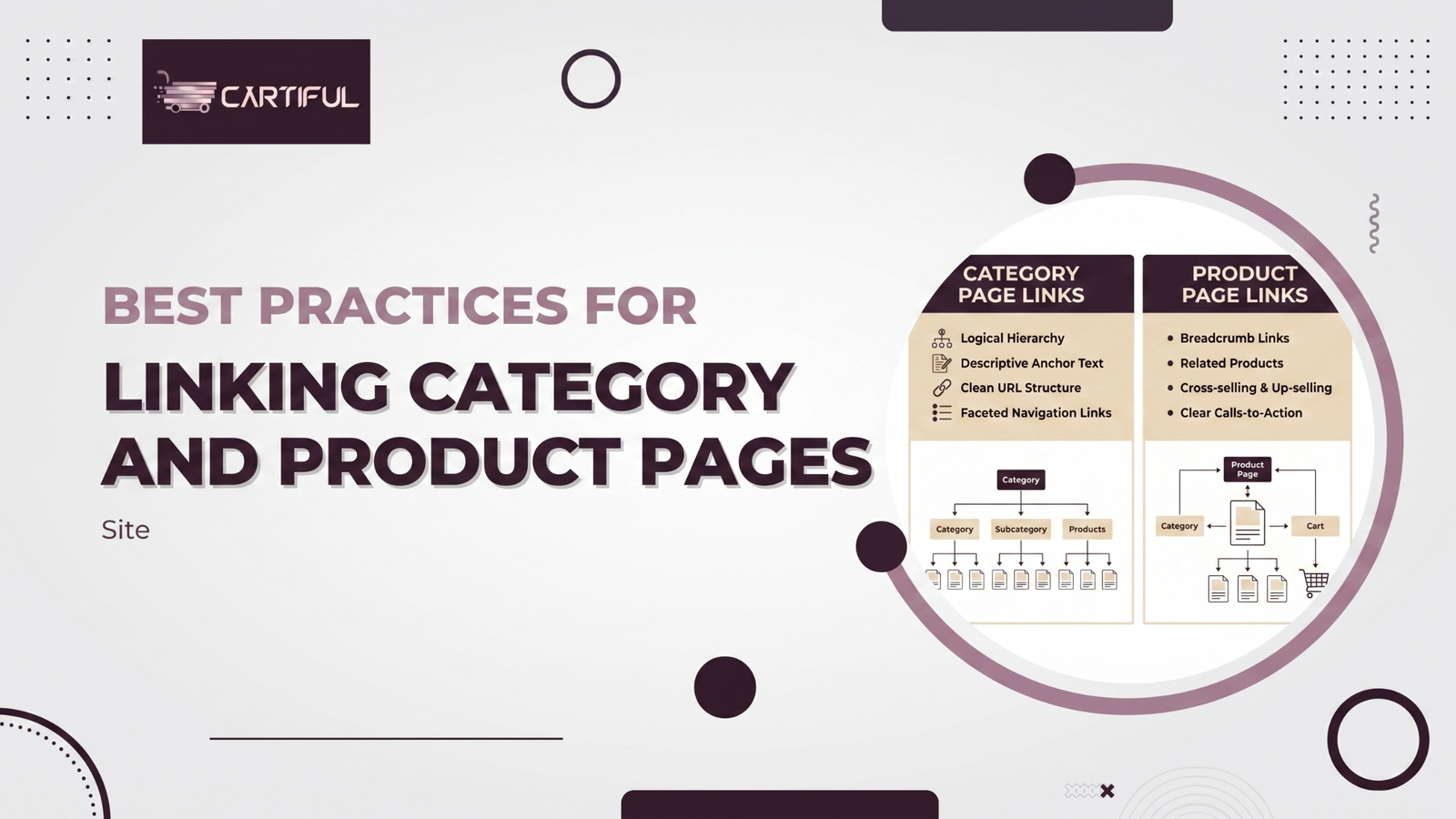
- Home page links to main categories
- Categories link to relevant subcategories
- Category and subcategory pages link to their most relevant products
- Product pages link back through breadcrumbs and selective internal links
- Supporting content links into relevant category pages and priority products
This structure works because it creates a clear hierarchy for both users and search engines. Each page has a defined role, and link flow follows that structure instead of spreading randomly across the site.
Start With a Clear Hierarchy
Before adjusting links on product pages, the site hierarchy itself needs to make sense.
If a store has overlapping categories, duplicate collections, or products sitting under multiple near-identical paths, the issue is not anchor text—it’s structure.
A clean hierarchy usually looks like this:
- top-level categories target broad commercial demand
- subcategories narrow the intent by product type or use case
- product pages sit under the most relevant parent
- each category exists for a clear ranking purpose
- products are not buried under multiple weak or duplicate paths
Category Pages Should Link to Products With Intent
A category page should not act as a product dump. It should function as a focused, crawlable hub for a group of related products.
The way products are linked from category pages directly affects both crawlability and relevance. This becomes even more important in stores that use JavaScript-heavy grids or dynamic loading systems, where crawlable HTML links are critical to ensuring products are discoverable.
Good category-to-product linking looks like:
- product cards use standard <a> links
- featured products match the category intent
- pagination or load systems do not block crawl paths
- important products are easy to reach
- link context helps clarify what the product is
Weak category-to-product linking looks like:
- product tiles rely only on JS interactions
- products appear only after filters are applied
- unrelated products are grouped together
- key products are buried deep in pagination
- links use generic labels like “view product”
Product Pages Should Link Back Into the Structure
A product page should never act as a dead end. Even when conversion is the goal, it still needs to connect back into the site’s structure.
The most important element here is breadcrumbs. They give users a clear path back and help search engines understand where the page sits in the hierarchy. Google’s guidance on breadcrumb structured data supports this as a strong structural signal.
In addition, product pages can include selective links to:
- the main parent category
- a relevant subcategory
- related products
- complementary products
- supporting content when it genuinely helps the user
The key is control. Product pages should reinforce their place in the structure, not scatter links without purpose.
Breadcrumbs Are Not Optional on Serious Ecommerce Sites
Breadcrumbs are not optional on serious ecommerce sites. They provide a clear path back through the catalog and reinforce how pages are connected.
They help users navigate between categories and subcategories and help search engines understand where a page sits within the site.
Breadcrumbs are especially important in large stores where users frequently move between listing pages and product pages before making a decision. This becomes even more important when combined with a stronger ecommerce website structure and navigation planning, where category relationships directly influence both usability and search visibility.
Use Descriptive Anchor Text, Not Generic Labels
Anchor text helps users and search engines understand where a link leads. On ecommerce sites, internal anchors often become repetitive or vague, which weakens clarity.
Links like “view product,” “shop now,” or “click here” add little value. A stronger approach is to use descriptive text that reflects the actual page.
Examples:
- “men’s trail running shoes”
- “gold hoop earrings”
- “ceramic dinner plates”
This becomes more effective when paired with structured product data and stronger product page optimization strategies, where both content and linking reinforce relevance.
Keep Important Category Pages Closer to the Home Page
Important pages should not be buried deep in the site.
For ecommerce, this usually means:
- top categories are visible in main navigation
- seasonal or campaign categories are surfaced when relevant
- key subcategories are supported internally
- priority products are not left only to pagination
This becomes especially important when stores are running campaigns or promotions, where ecommerce marketing and campaign landing strategies need to align with internal linking to ensure visibility is not lost across deeper pages.
Google’s guidance on site architecture also supports keeping important pages within a few clicks of the homepage.
Avoid Category Cannibalization
A common ecommerce issue is creating multiple categories that target the same search intent but are structured slightly differently.
For example, pages like “men’s running shoes,” “running shoes for men,” and “men’s athletic running shoes” often link to nearly identical product sets. Instead of strengthening a single category, they spread relevance across multiple weak pages.
When this happens:
- internal links are spread across competing categories
- products reinforce multiple pages instead of one clear parent
- search engines get mixed signals about which page should rank
The fix is not reducing links—it’s tightening structure:
- one primary category per search intent
- product placement that clearly supports that category
- distinct content and filters for each category
- internal links that consistently point toward the main page
This issue frequently arises in real-world SEO discussions, especially around overlapping category structures and internal linking conflicts.
Related Products Only Work When They Make Sense
Related product sections are useful when they reflect how people actually browse. They break down when they are purely automated and ignore product context.
A good related block helps users:
- compare close alternatives
- explore variations
- discover logical add-ons
A weak one creates loops of unrelated products that add noise without helping the decision.
This is a common issue on stores that rely heavily on automation without aligning it with real buying behavior, something often discussed in SEO communities around ecommerce internal linking patterns and product relevance issues.
Let Content Strengthen Categories First
Most ecommerce blogs, buying guides, and comparison pages should link to category pages first, not scatter links across individual products.
Category pages act as hubs. When they get stronger internal support, they pass that relevance down to the products under them.
Where stores go wrong:
- linking every blog to random products
- spreading link equity across low-priority pages
- skipping category hubs entirely
There are exceptions. A content page can link directly to a product when:
- it clearly answers the user’s intent
- the product page has enough depth
- the link actually helps the decision
Make Sure Your Links Can Actually Be Crawled
This is where many ecommerce sites quietly break.
A page can look fine to users but still fail to pass internal link signals if links are not implemented properly.
On JS-heavy stores, product grids, filters, and UI elements often rely on interactions that don’t always translate into crawlable links.
Google’s guidance on JavaScript SEO basics explains that relying too heavily on client-side rendering can delay or limit the processing of content and links.
For category and product linking, that means:
- product cards should use standard <a> links
- related products should not depend only on click handlers
- breadcrumbs should be real links
- menus should expose the same paths to crawlers as users
Avoid Overlinking on Product Pages
Some ecommerce product pages are overloaded with links, related products, blog feeds, brand blocks, cross-sells, recently viewed, and more.
That doesn’t strengthen the page. It dilutes it.
When everything is linked:
- nothing stands out
- structure becomes unclear
- user focus drops
A cleaner product page usually includes:
- breadcrumbs
- one clear path back to the parent category
- a focused related-products section
- optional complementary products
This matches how real stores perform better, linking where it helps, not where every module demands space. That pattern shows up consistently in discussions around product page linking and UX vs SEO trade-offs.
Category Pages Should Not Depend Only on Facets
Many large stores accidentally hide product discovery inside filters and facets. Google’s ecommerce structure guidance and crawlable-link guidance both point toward clear navigational paths and crawlable linking.
If the only way to find major product groups is to apply filters, the store gives Google a weaker structural signal and often creates crawl issues.
Important subcategories or collection types should usually exist as real pages with stable internal links, rather than as filtered states hidden within a faceted system. That helps both crawling and page targeting.
A Practical Internal Linking Pattern for Ecommerce
A simple structure that works for most ecommerce stores:
- Home → main category → subcategory → product
- Product → breadcrumb back to category
- Category → product grid + featured items
- Product → related or complementary products
- Content → category pages first, then products where relevant
It’s not complex, but it works because every page has a defined role.
This structure becomes much easier to maintain when combined with ecommerce growth and optimization systems that keep navigation, content, and linking aligned as the store scales.
Real-World Takeaways From SEO Communities
Across real ecommerce sites, the same internal linking issues recur.
One of the most common patterns is over-focusing on product pages while ignoring category structure. When categories are weak, unclear, or under-linked, product pages lose context and struggle to inherit relevance.
Another recurring issue is relying too heavily on templates. Stores often use the same layout across hundreds of pages without adjusting anchor text, product grouping, or linking logic. The result is a structure that looks complete on the surface but lacks clarity underneath.
A third pattern is burying important products. Even strong products get pushed deep into pagination or hidden behind filters, which weakens both crawl paths and internal link signals.
These issues don’t usually come from a lack of effort. They come from treating internal linking as a byproduct of design instead of a deliberate part of how the catalog is structured.
Common Mistakes to Avoid
Linking every product everywhere
This weakens the structure instead of helping it. A product should earn visibility from the categories and content that actually match it.
Using generic anchor text
Labels like “view product” or “shop now” don’t add context. Internal links should make it clear what the destination page is about.
Treating breadcrumbs as optional
Breadcrumbs are one of the simplest ways to reinforce hierarchy. Without them, both navigation and structure become less clear.
Hiding product discovery inside JS or filters
If important products are only visible after scripts run or filters are applied, the internal link path gets weaker.
Creating too many overlapping categories
When multiple categories target the same intent, they compete instead of reinforcing a clear structure.
Internal Linking Checklist for Ecommerce Stores
Use this as a working checklist for category and product linking:
- Build a clear hierarchy from home to category to product
- Keep major money pages within a few clicks of the home page
- Use crawlable HTML links for category, product, breadcrumb, and related-product sections
- Make category pages strong hubs, not thin product dumps
- Add breadcrumbs to product and subcategory pages
- Use descriptive anchor text
- Link products back to the logical parent category
- Use related products only when they are actually relevant
- Route most supporting-content links into category pages first
- Avoid overlapping categories that target the same intent
- Do not let filters replace real subcategory pages
- Review template changes to make sure the internal link path stays intact
How Cartiful Would Approach This
Cartiful starts by mapping the structure clearly—what categories are meant to rank, which products need stronger internal support, and where the current setup is creating confusion.
From there, the focus shifts to fixing the structure at the template level. That includes navigation, breadcrumbs, category linking, and product relationships, so the entire system works consistently instead of relying on isolated fixes.
Once the structure is clean, supporting content is aligned with the right category pages. That way, internal links reinforce commercial pages rather than scatter across the site.
If your store has buried products, weak category structure, or inconsistent internal linking, that usually points to deeper structural issues. Get a focused review from Cartiful to identify exactly where your internal linking is limiting visibility and conversions.
Final Take
The best way to link category and product pages is to treat your store like a clear hierarchy, not a collection of disconnected URLs.
Category pages should act as strong hubs. Product pages should sit clearly within that structure. Breadcrumbs should reinforce the path. Anchor text should explain where each link leads.
When those pieces work together, the site becomes easier to crawl, easier to understand, and easier to use.