Skip to content
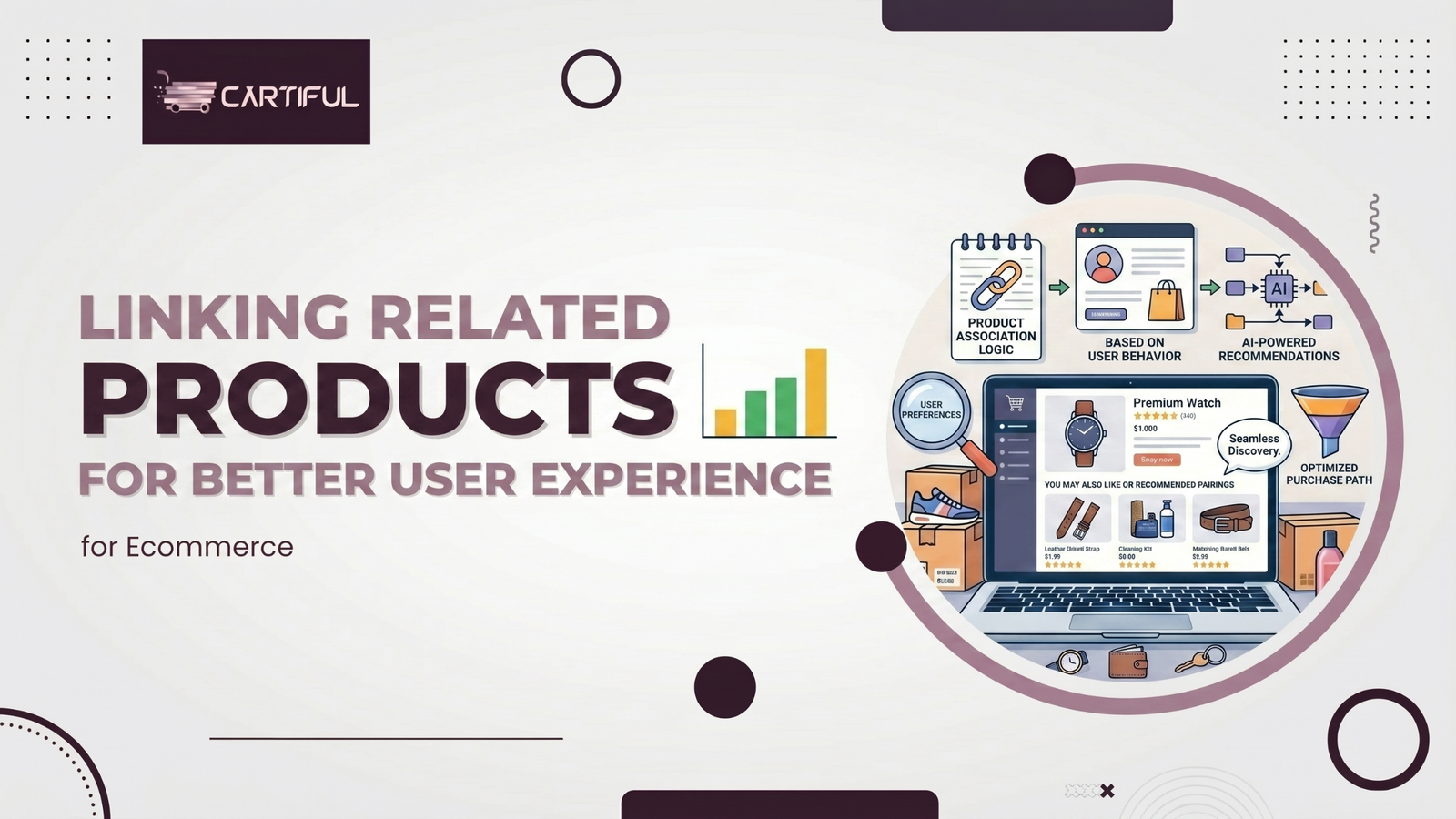
Linking related products plays a direct role in how shoppers move through an ecommerce website.
When product pages guide users to relevant alternatives, variations, or add-ons, decision-making becomes easier and faster.
For many store owners, poor product linking creates friction. Shoppers jump between category pages, lose context, or leave the site altogether.
Well-placed related products improve user experience by helping shoppers compare options, understand compatibility, and continue exploring without restarting their search.
From product display pages to the cart page and checkout page, related product links shape how smoothly users navigate, evaluate, and complete a purchase.
What Does “Linking Related Products” Mean in Ecommerce?
Linking related products in ecommerce means displaying products that are relevant alternatives, variations, or complementary items directly on product pages, category pages, or cart pages.
These links help shoppers compare options, find compatible products, and continue the purchase journey without restarting navigation.
Why Related Product Links Affect User Experience Directly
User experience depends on how easily shoppers can compare, decide, and proceed.
When related products are missing, users bounce back to category pages or leave the site entirely.
When links are placed correctly, users stay focused and continue moving forward.
According to Baymard Institute, over 70% of ecommerce carts are abandoned, with one of the main reasons being poor product clarity or missing information.
Related product links reduce that friction by answering “what else should I look at?” before the user asks.
Where Related Products Should Appear on an Ecommerce Website
Related products should appear where shoppers are already making decisions.
Placement matters because each section of an ecommerce website supports a different part of the buying process.
When related product links match user intent, they improve ecommerce user experience and reduce unnecessary navigation.
1. Product Display Pages
Product display pages have the strongest impact on how users compare, evaluate, and choose products. This is where shoppers pause, scroll, and review details before adding items to the cart.
Related products on product pages support:
- Product comparisons between similar items
- Product variations and product variants using attribute-selection dropdowns
- Supplementary products such as protection plans, accessories, or refills
Placing a Linked Products tab below the product description keeps the page organized and avoids visual overload.
Usability tests show this placement helps users explore related options without disrupting the main purchase action.
2. Category Pages
Category pages benefit from internal links that connect similar product categories and alternative products. This supports product discovery while keeping users within their shopping criteria.
These links also help search engines understand website architecture and product relationships.
Related product links on the cart and checkout pages should be limited, purposeful, and directly relevant to the shopper’s intent. Overloading these pages with suggestions can distract users from completing their purchase.
Cart upsells, order bumps, and protection plans perform best when:
- they are visually lighter than the primary product
- they feel optional rather than forced
- they do not interrupt or delay checkout progress
User experience research consistently shows that unnecessary distractions during checkout reduce completion rates.
According to Nielsen Norman Group, checkout flows should minimize cognitive load and decision-making to keep users focused on task completion. Subtle, context-aware product suggestions support this goal, while intrusive or excessive recommendations increase friction.
Types of Related Product Links That Improve Usability
Not all related product links serve the same purpose. Each type supports a different user need during product discovery and decision-making.
When used correctly, these links reduce friction instead of adding noise.
1. Alternative Products
Alternative products help users compare options without restarting navigation or returning to category pages. These links support different price ranges, brands, or feature sets while keeping the shopper on the same product page.
They are especially helpful when users hesitate, scroll back up, or review multiple product options before deciding.
2. Product Variations and Product Variants
Product variations should feel like part of the same product, not separate listings.
Splitting simple variants into multiple product pages often creates confusion and weakens usability.
Use:
- Attribute-selection dropdowns for size, color, or material
- Clear product options that update pricing and availability
This approach keeps the canonical version clean, reduces duplicate pages, and improves Product Page Usability for both users and search engines.
3. Supplementary Products
Supplementary products support add-on decisions without pushing the shopper. They work best when the connection to the main product is obvious.
Common examples include:
- Chargers or cables for electronics
- Covers or cases for devices
- Refills for consumable products
These links perform best near the Add to Cart button, where users are already thinking about completing the purchase.
4. Cross-Sell Products
Cross-sell products recommend complementary items that shoppers commonly purchase together. For example, a laptop product page may link to a compatible laptop bag, wireless mouse, or external hard drive.
5. Upsell Products
Upsell products guide shoppers toward a higher-value alternative. For example, a store may recommend a model with more storage, better materials, or extended warranty coverage.
How Ecommerce Stores Implement Related Product Linking
Ecommerce platforms typically implement related product linking using one of three approaches:
- Manual linking
Merchants select related products directly inside the product management system. This works well for smaller catalogs where relationships between products are clear.
- Rule-based linking
Products are connected using attributes such as brand, category, compatibility, or price range. For example, a rule may show accessories that match a specific device model.
- Behavior-based recommendations
Larger ecommerce stores often use recommendation engines that analyze browsing behavior, past purchases, and co-purchase patterns to surface relevant products automatically.
Choosing the right method depends on catalog size, product complexity, and merchandising strategy.
How Internal Linking Supports Ecommerce User Experience
Internal linking connects product pages, category pages, and supporting content through clear anchor text. This improves navigation menus, reduces dead ends, and helps users understand product relationships faster.
For ecommerce user experience, internal links reduce backtracking and repeated searches.
Cartiful structures internal linking strategies to support both usability and search engine crawl paths.
Internal Linking and Search Engines
Search engines rely on internal links to understand:
- Product hierarchy
- Product categories
- Website architecture
Clear anchor text helps search engines index product pages correctly.
Avoid generic anchors like “click here.”
Google documentation confirms internal links guide crawling and ranking signals.
Related Products and Conversion Rates
Related product links influence how long shoppers stay, what they add to cart, and whether they complete checkout.
When users can compare, confirm compatibility, and see relevant options, hesitation drops.
This is not about pushing more products. It is about removing doubt at the right moment across product pages, the cart page, and the checkout page.
How Linking Products Affects Sales
Clear related product links support ecommerce user experience and guide shoppers without forcing extra clicks.
The impact shows up quickly in usability tests and conversion metrics.
| UX Element | Impact on Conversion Rates |
| Related products on product display pages | Higher time on page |
| Cart upsells and order bumps | Higher average order value |
| Alternative product links | Lower bounce rate |
| Clear product compatibility | Fewer returns |
This pattern appears consistently across large product catalogs and multi-category ecommerce websites.
Product Compatibility and Risk Reduction
Product compatibility links matter most for higher-risk purchases. Shoppers want reassurance before committing.
Electronics, spare parts, and accessories benefit from:
- Compatibility warnings placed near product options
- Linked compatible products on the product page
- Clear product options using attribute-selection dropdowns
These links reduce returns and limit negative UGC content tied to mismatched purchases. UX research and ecommerce return analysis often point to missing compatibility guidance as a major driver of avoidable returns.
UX Design Guidelines for Related Product Linking
Good UX design for related products focuses on relevance, placement, and clarity.
Links should match user intent, appear after key product information, and never interrupt the checkout flow.
UX guidelines favor scannable layouts that support decision-making without pushing extra products. Shoppers should be able to review related items quickly without losing focus on the primary product.
Effective related product linking also depends on:
- Clear visual hierarchy on the product display page
- Consistent placement across product pages for predictability
- Limited product suggestions that align with user personas and shopping criteria
Related products should support product page usability, not compete with the main call to action.
When placement and relevance are handled correctly, related product links improve usability and reduce decision fatigue across the ecommerce website.
Navigation Menus and Footer Links
Navigation menus should support product discovery at a high level. They are best used to guide users toward product categories and category navigation.
Navigation menus should:
- Link to core product categories
- Avoid repeating individual product links
Footer links help with internal linking and website architecture, but they should never replace contextual links on product pages where decisions are made.
Using Data to Decide Which Products to Link
A/B Testing Related Product Sections
A/B testing helps store owners make design decisions based on behavior, not assumptions. Testing is especially useful for related product placement.
A/B test:
- Placement (below product description vs sidebar)
- Number of linked products
- Visual weight and spacing
Measure:
- Click-through rate
- Cart adds
- Checkout completion
Machine Learning Models and Product Recommendations
Some ecommerce websites use machine learning models to generate product recommendations. These systems typically rely on past purchases, browsing behavior, and UGC content.
For smaller product catalogs, rule-based linking often delivers better usability.
It stays predictable and aligns more closely with clear shopping criteria.
For example, if analytics shows that customers frequently purchase phone cases after viewing a specific smartphone model, linking those accessories directly on the product page can improve both product discovery and average order value.
Quick Best Practices for Related Product Linking
- Show 3–6 related products per section
- Prioritize relevance over quantity
- Place recommendations after key product information
- Avoid distracting users during checkout
- Clearly label compatibility where required
Common Mistakes Store Owners Make
Many usability issues come from overthinking product linking.
Common mistakes include:
- Showing unrelated products that confuse users
- Linking too many products on a single product page
- Using weak or generic anchor text
- Blocking checkout with aggressive cart upsells
- Ignoring usability test and A/B test results
- Showing unrelated “recommended products” driven only by algorithmic suggestions
Each of these increases friction and weakens ecommerce user experience instead of improving it.
Conclusion
Linking related products is a usability decision, not a sales trick.
When product pages guide shoppers toward relevant alternatives, variations, and complementary items, the buying process becomes clearer and easier to navigate. Instead of restarting their search, shoppers can compare options, confirm compatibility, and move forward with greater confidence.
Well-placed related product links improve ecommerce user experience, support product discovery, and help reduce avoidable returns by setting the right expectations around product options.
For store owners, the objective is simple: use related products to remove friction, not to add more choices.
When relevance, placement, and clarity come first, related product linking strengthens both usability and conversion outcomes across the ecommerce journey.