Skip to content
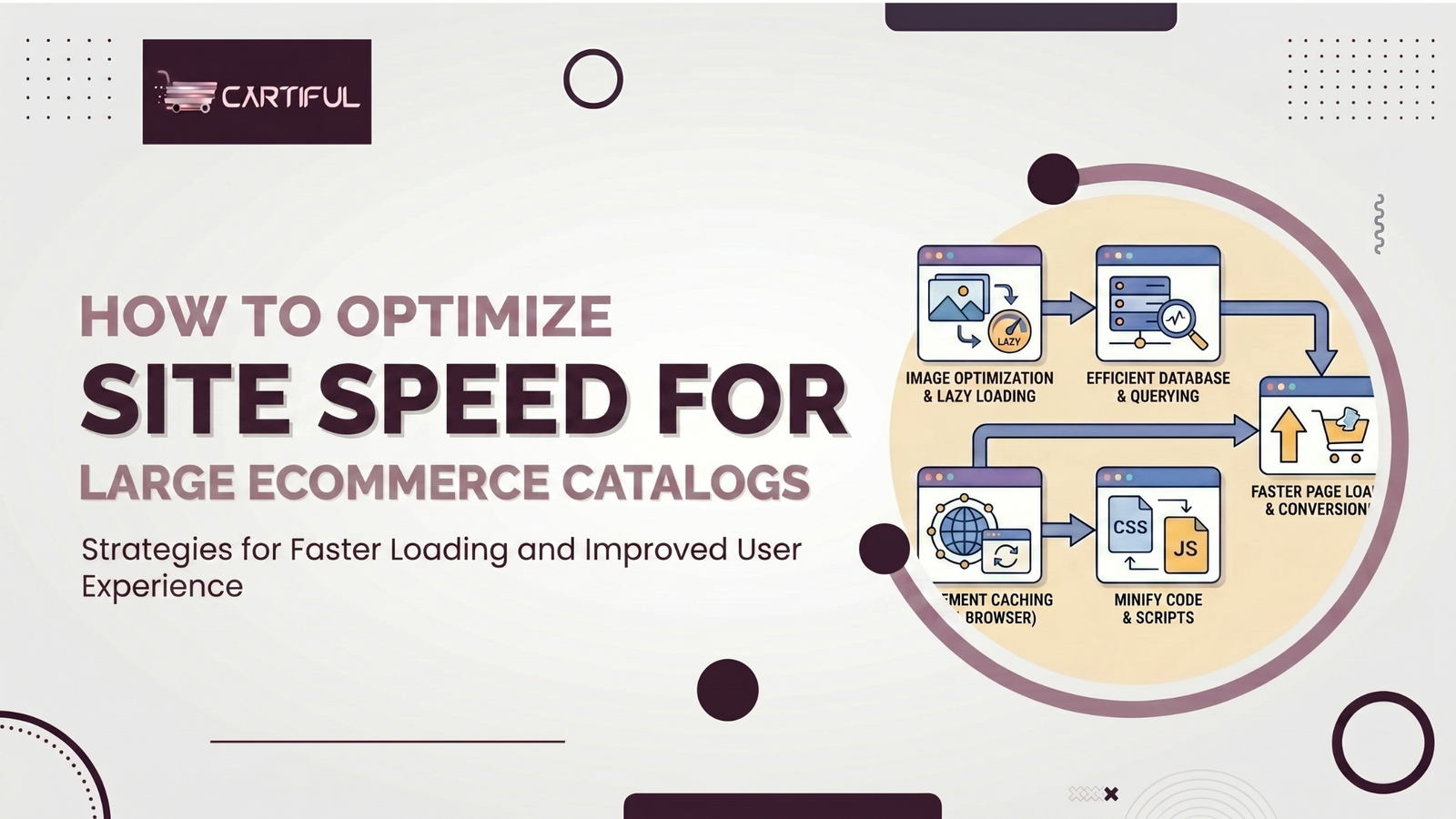
Large ecommerce stores rarely slow down due to a single issue. It’s usually a combination of smaller problems—heavy category templates, oversized product images, faceted navigation loading extra scripts, bloated app integrations, render-blocking CSS, slow server response, and JavaScript delaying interaction.
For large catalogs, the challenge is not just making the site faster. It’s identifying which templates and assets are slowing down the pages that actually drive traffic and sales. A small store can quickly fix speed issues. A store with thousands of SKUs, layered filters, and constant merchandising changes needs a more structured approach.
Many of these issues overlap. Heavy templates, inefficient assets, and poor page structure often slow down both performance and usability. This is where understanding on-page SEO for ecommerce stores becomes important, since page structure and content layout directly affect how efficiently pages load.
This is where a more structured approach matters. Instead of trying to fix everything at once, the focus should stay on category pages, product pages, and mobile templates—where performance improvements actually translate into revenue gains.
Why Site Speed Matters for Large Ecommerce Stores
Site speed affects more than rankings. It directly impacts how users interact with your store.
Google uses Core Web Vitals as part of its page experience signals, but speed alone does not guarantee rankings. Relevance still matters more. In competitive ecommerce categories, however, faster sites often gain an edge when everything else is similar.
For ecommerce stores, the bigger impact happens after the click. Slow pages delay product discovery, make filters feel unresponsive, and create friction before users even reach product details.
On large catalogs, this compounds quickly. Delays across search, category browsing, product pages, and checkout reduce engagement and increase drop-offs at every step.
The Core Metrics That Matter
Google focuses on three Core Web Vitals metrics: Largest Contentful Paint (LCP) for loading, Interaction to Next Paint (INP) for responsiveness, and Cumulative Layout Shift (CLS) for visual stability. Recommended targets are LCP within 2.5 seconds, INP under 200 milliseconds, and CLS below 0.1.
On large ecommerce stores, these metrics usually point to template-level issues:
LCP (Largest Contentful Paint)
LCP often breaks when the main category image, product hero, or heading loads too slowly. Common causes include slow server response (TTFB), large image files, or poor resource prioritization.
INP (Interaction to Next Paint)
INP issues are common on JavaScript-heavy pages. Filters, widgets, and third-party scripts can delay interaction, making pages feel unresponsive when users try to click, scroll, or apply filters.
CLS (Cumulative Layout Shift)
CLS increases when elements shift during loading. This often happens when product cards, banners, or images load without reserved space, causing layouts, especially on category pages, to jump.
Why Large Catalogs Get Slow
Template bloat spreads across thousands of pages
A small code issue in a single template becomes a sitewide problem in a large catalog. One oversized image component, one bad review widget, or one unnecessary script can affect thousands of URLs.
Category pages carry too much
Large category pages often load filters, sorting logic, swatches, badges, quick views, recommendation blocks, review stars, promo banners, and analytics events all at once. Even when each script looks “acceptable” on its own, the combined weight becomes expensive on mobile.
Product images multiply fast
Large catalogs depend heavily on images, but poor image handling adds significant weight. Lazy loading helps for offscreen images, but applying it to above-the-fold assets can delay LCP and hurt performance.
JavaScript-heavy experiences slow both users and search engines
Heavy scripts and third-party tools increase load time and block interaction. They also add complexity to how search engines process content, especially when key elements depend on client-side rendering.
Start With the Right Page Types
On large ecommerce stores, speed fixes should start with the templates that drive traffic and revenue, not random pages. This becomes even more important when aligning performance with acquisition strategies, such as Google Ads vs. Meta Ads, for ecommerce stores.
1. Category pages
These are often the biggest performance bottlenecks. They combine filters, navigation, and large product grids, making them heavy and resource-intensive.
2. Product detail pages (PDPs)
PDPs include image galleries, reviews, recommendations, and scripts tied to checkout and tracking. These elements can slow down both load time and interaction.
3. Search-driven landing pages
SEO-focused collections, brand pages, and subcategories often bring in high-intent traffic and should be prioritized early.
4. Mobile templates
Many performance issues are more visible on mobile devices. Pages that feel fast on desktop can still struggle on mid-range phones.
How to Improve LCP on Large Ecommerce Pages
LCP improves when you fix the resource responsible for the page’s main visual load, as outlined in this LCP optimization guide.
Reduce server delay first
web.dev breaks LCP into subparts and shows that TTFB is the first stage. If the server takes too long to send the initial HTML, everything else starts late. On ecommerce sites, common causes include slow platform responses, uncached category pages, expensive backend queries, and app calls during page generation.
Prioritize the main image or hero content
If the LCP element is a product image or category hero, ensure it is not delayed by low-priority loading. web.dev notes that fetchpriority can be used to reprioritize important resources, and the same logic applies to critical assets that need to load early rather than compete with non-essential scripts.
Do not lazy-load above-the-fold images
This is one of the easiest ecommerce mistakes to make, especially when lazy loading is applied globally. web.dev says lazy loading saves bandwidth for offscreen images, but overuse can hurt performance.
Compress and resize image assets properly
For large catalogs, original upload sizes are often far bigger than needed for the actual rendered dimensions on mobile and desktop. The goal is not just smaller files, but the right file for the right viewport and component.
How to Improve INP on Large Catalogs
INP is usually where large ecommerce sites feel slow, even when the page appears visually loaded.
Cut the JavaScript that delays interaction
Heavy scripts can block both rendering and interaction. On large ecommerce sites, this usually stems from filters, widgets, and bundled scripts on category pages, which make clicks and taps feel delayed.
Move non-critical scripts out of the critical path
Load only what’s needed for the first interaction. Scripts that don’t support the initial page view or user action should not compete with critical resources.
Audit third-party apps and tags
Review widgets, chat tools, personalization engines, and analytics layers, as they often create performance drag. If a script does not support the first screen or a revenue-critical action, it should be delayed or removed.
This is especially important for stores running aggressive campaigns through ecommerce PPC and paid advertising strategies, where multiple tracking scripts compete for load priority.
How to Improve CLS on Category and Product Pages
Reserve image space
Late-rendering product thumbnails, banners, and gallery images often create layout shifts. Reserve clear dimensions or stable containers so the grid does not jump as assets load.
Keep promo bars and merchandising blocks stable
If shipping bars, discount badges, or seasonal modules load late and push content downward, CLS rises quickly. This is common on stores that stack too many merchandising experiments into category templates.
Be careful with review widgets and dynamic inserts
Review stars, financing offers, sticky add-to-cart bars, and popups can all shift content if inserted without reserved space.
Poor CLS handling often stems from overloading templates with design elements rather than balancing UX and performance, something that requires structured website design and ecommerce UX optimization.
Image Strategy for Large Catalogs
Image handling is one of the biggest wins on large ecommerce sites because the effect multiplies across thousands of URLs.
What to do
Use responsive images, compress files without visible quality loss, and lazy load only offscreen images. Proper image handling reduces bandwidth usage and improves load priority.
What not to do
Do not lazy-load every image. Above-the-fold assets, especially product and category images, should load immediately. Overuse of lazy loading can delay rendering and hurt performance.
A strong image strategy should include:
- one priority image per page type
- responsive sizing based on device
- modern formats where supported
- lazy loading only for offscreen images
- clear upload rules for teams managing content
Resource Loading and Render Blocking
CSS and JavaScript can delay rendering if not handled properly.
On large ecommerce sites, performance issues usually come from loading too many files early or prioritizing the wrong resources.
Practical fixes usually include:
- trimming CSS that only supports lower-page components
- removing dead app code from templates
- deferring non-critical JavaScript
- reducing duplicate library loads
- loading interactive extras only when needed
- giving priority to the main image, fonts, and essential layout resources
This is especially important on category pages where the browser may otherwise waste early bandwidth on sliders, trackers, popups, or recommendation scripts before the shopper sees the product grid.
JavaScript, SEO, and Large Ecommerce Templates
Heavy reliance on JavaScript can affect both performance and SEO.
If product links, filters, or key content rely on client-side rendering, search engines may take longer to index them, and users may experience delays in interactions.
A safer approach:
- keep navigation and product links crawlable in HTML
- render core content early
- ensure product grids are usable before scripts fully load
- avoid building the entire experience around client-side logic
This is especially important when scaling stores across channels, where SEO and performance-driven ecommerce strategies need to work together.
Category Pages Deserve Special Treatment
If you only fix product pages and ignore collection templates, you miss a big part of the real problem. On large catalogs, category pages often drive more SEO traffic than PDPs and usually carry more performance debt.
A faster category page often comes from:
- lighter filter logic
- fewer products loaded at once
- stable thumbnail containers
- smaller image payloads
- less template chrome above the grid
- reduced widget clutter
- fewer synchronous calls before the first product cards render
This is also where merchandising discipline matters. Every badge, countdown, promo strip, quick view, compare feature, and trust widget has a performance cost.
A Practical Speed Workflow for Large Stores
Step 1: Measure with field and lab data
Use Search Console’s Core Web Vitals report for field signals and Lighthouse or Chrome tools for page-level debugging. Google points site owners to Search Console for CWV monitoring, while web.dev provides workflows and tools for measuring and improving these metrics.
Step 2: Group by template, not by random URLs
Review category pages, PDPs, homepage, brand pages, and content pages separately. Large stores often have one or two templates, causing most of the damage.
Step 3: Fix the biggest blockers first
Work in this order:
- server delay and caching
- main image and LCP resource delivery
- render-blocking CSS and JavaScript
- third-party script load order
- CLS from unstable components
- lower-page media and widgets
Step 4: Re-test on mobile
A page that feels acceptable on a fast laptop can still perform badly on a mid-range mobile device.
Step 5: Lock in governance
Without controls, stores often reintroduce the same speed problems through new apps, template edits, promotional modules, and merchandising uploads.
Real-World Pain Points From SEO Communities
Across large ecommerce sites, the same performance issues tend to repeat. Common problems include lazy loading applied to above-the-fold images, poor resource prioritization, and misconfigured scripts that delay rendering or interaction. These issues often go unnoticed because standard dashboards don’t always surface them clearly.
Another consistent pattern is teams focusing on improving Lighthouse scores instead of fixing pages that actually impact traffic and revenue. While performance scores are useful for diagnostics, they don’t always reflect real user experience on key templates.
A more effective approach is to prioritize category pages, product pages, and high-traffic templates, where performance improvements directly affect visibility, engagement, and conversions.
Common Site Speed Mistakes on Large Ecommerce
Treating all pages the same
Not all pages carry equal weight. Category pages, product pages, and landing pages have different performance needs and business impact. Treating them the same leads to wasted effort.
Loading every app across all templates
Review tools, chat widgets, recommendation engines, and promo scripts are often loaded sitewide—even when they’re only needed on specific pages. This adds unnecessary load and slows down performance.
Lazy loading the wrong assets
Lazy loading works well for offscreen images, but applying it to above-the-fold assets, like category heroes or product images, delays rendering and hurts LCP.
Over-reliance on JavaScript for the first screen
If users have to wait for scripts to load before interacting, pages will feel slow regardless of their appearance. Core browsing elements should not depend entirely on client-side rendering.
Ignoring server response time (TTFB)
If the server response is slow, frontend fixes will have limited impact. Improving TTFB is often the first step in resolving deeper performance issues.
Site Speed Checklist for Large Ecommerce Catalogs
Use this as an implementation checklist:
- Identify the slowest page templates by traffic and revenue
- Review field data in Search Console before chasing isolated lab scores
- Improve TTFB on category and product templates
- Prioritize the page’s main image or text block for faster LCP
- Stop lazy loading above-the-fold hero assets
- Compress and resize product and category images properly
- Reduce render-blocking CSS and parser-blocking JavaScript
- Delay or remove non-essential third-party scripts
- Stabilize image containers and dynamic page modules to reduce CLS
- Keep critical navigation and product links visible in HTML
- Test on mobile devices and slower connections
- Create internal rules for new apps, widgets, and merchandising components so speed does not degrade again
How Cartiful Would Approach This
For a large ecommerce brand, site speed is handled as a structured process—not a one-time fix.
First, pages are prioritized by business value and traffic, so improvements focus on where speed actually impacts rankings, user experience, and revenue.
Second, templates are audited rather than individual URLs because most performance issues recur across category pages, product pages, and core layouts.
Third, the biggest blockers are tackled first: server delays, LCP bottlenecks, render-blocking resources, and unnecessary app load.
Fourth, clear controls are put in place to ensure future updates, campaigns, and merchandising changes don’t undo progress.
This is what turns speed optimization into something stable and scalable, instead of a cycle of fixes that keep breaking.
If your store is running slow where it matters—category pages, product pages, or mobile- waiting only compounds the problem. Get a direct performance review from Cartiful and identify exactly what’s slowing down your highest-impact pages, what to fix first, and where you’re losing conversions today.
Final Take: Focus on Performance That Drives Revenue
Site speed optimization for large catalogs is not about chasing perfect scores. It’s about improving performance where users actually browse, filter, and make purchase decisions.
The biggest gains usually come from:
- cleaner templates
- better resource prioritization
- reduced JavaScript overhead
- faster server response
- tighter control over what loads on key pages
When speed improvements are focused on high-impact templates, they directly support better rankings, smoother user experience, and higher conversion rates.